
Introduction
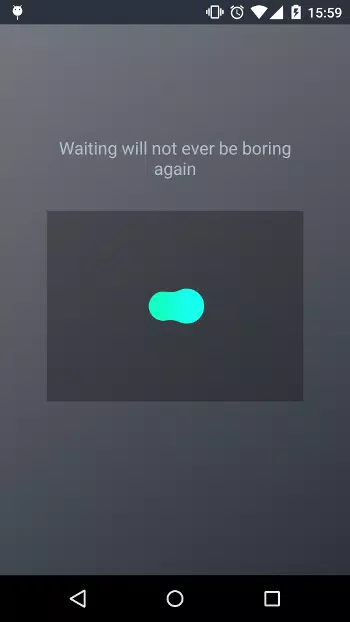
RubberLoader demo is a compact, hands-on sample application that demonstrates a lightweight loading component and how to integrate it into projects. The RubberLoader demo puts an interactive playground on your device so developers and designers can try animations, timing, and content patterns in real time without wiring backend services. This editor-focused introduction walks you through what to expect, how to control the examples, and how to adapt the demo code for production use.
Key features
The RubberLoader demo includes interactive examples of animated loaders, responsive layout behavior across screen sizes, and code snippets you can copy into your own projects. Examples cover dynamic content loading patterns, placeholder transitions, and progress indicators that respond to simulated network delays. Each example highlights customization points such as animation easing, color palettes, and size scaling so you can quickly match a loader to an app brand or UI specification.
How it works
Begin by selecting one of several demo scenarios that simulate common application states: initial load, incremental content arrival, error and retry, and long-running processing. Each scenario runs locally and visually demonstrates how the loader behaves as data changes. The demo uses lightweight, self-contained components so you can inspect the implementation, step through the code examples, and see immediate visual feedback when you change parameters or animation curves.
Controls and interaction
Controls are straightforward and designed for both touch and mouse input. Use on-screen toggles to switch between loader styles, sliders to adjust timing and size, and buttons to trigger simulated network states. Keyboard input is supported for desktop testing. These controls let you prototype interaction patterns—such as when to show a placeholder versus when to display a spinner—without modifying source files, making iteration fast during design reviews or QA sessions.
Progression and demo structure
The demo is organized into progressive sections that function like levels: basic usage, intermediate customization, and advanced integration. The basic section covers drop-in usage and minimal configuration. The intermediate section introduces more detailed styling and sequencing. The advanced section shows integration with asynchronous tasks and how to coordinate loaders across nested components. This progression helps teams move from concept to stable implementation at their own pace.
Customization and visual style
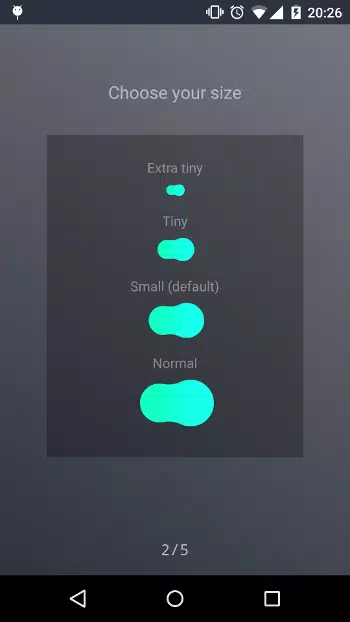
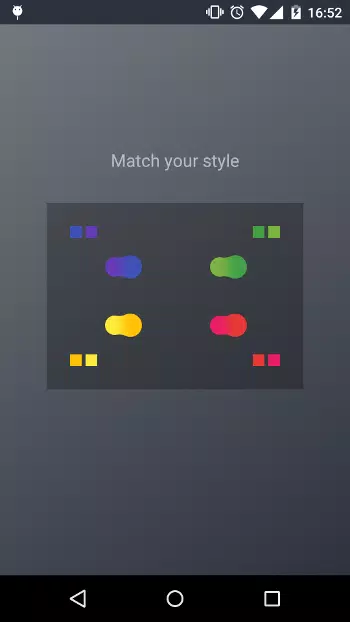
Customization focuses on practical options you’ll need when integrating a loader into an app: animation types (fade, slide, bounce), color themes, size variants, and adaptive layout rules. The demo provides code examples to apply brand colors, adjust timing to meet accessibility guidelines, and combine loader elements with content skeletons. The result is a clear path from the visual prototype in the demo to the production-ready loader in your application.
Replay value and experimentation
Because the RubberLoader demo runs locally and exposes configuration parameters, it has strong replay value for designers and engineers who want to compare alternatives repeatedly. You can save parameter sets, re-run scenarios under different simulated network conditions, and experiment with combinations of animations and placeholders. This hands-on testing is especially useful for debugging edge cases where content arrives in fragments or when complex UI trees update asynchronously.
Performance, accessibility, and offline use
The demo includes simple stress and performance checks so you can see CPU and frame-rate impact on typical devices. Accessibility considerations are covered with options for reduced motion, high-contrast color schemes, and screen-reader-friendly labeling for loader states. Because the sample runs entirely on-device, you can test it offline during development or on remote test devices without relying on external services.
Integration, installation, and contribution
Installation instructions and a link to the repository are included so developers can add the loader to web, mobile, or desktop projects. Code snippets are intentionally minimal and well-documented to ease integration and extension. The project accepts community contributions and the demo serves as a living reference for suggested improvements, bug reports, and feature experiments.
Who should use it
Designers who want to preview loading states, developers looking to adopt a small, flexible component, and QA engineers testing UI resilience will all find value in the RubberLoader demo. It is a practical tool for evaluating visual options, validating user experience under different loading scenarios, and accelerating the path from prototype to production-ready implementations.
- No virus
- No advertising
- User protection
Information
- File size: 1.20 M
- Language: English
- Latest Version: 1.1.0
- Requirements: Android
- Votes: 174
- Package ID: com.greenfrvr.rubberloader.sample
Screenshots
















Explore More
Explore an immersive world of entertainment with our media software. Watch, listen, and engage with your favorite shows, music, movies, and more. Access exclusive content, personalized recommendations, and innovative formats. Enhance your experience with our suite of cutting-edge applications. Discover hidden gems tailored to your unique tastes. Create, share, and connect over personalized playlists, reviews, and forums.

MEXC Global: BTC, ETH, Gamefi

Talking Cat Vs. Mouse

OLX Portugal

ScratchJr

Background Remove & Replace

AppLock Theme Tulip

Physics Lab

Netflix Premium