Introduction
AZ Plugin 2 (newest) is a lightweight Android extension that enhances app integration and media handling across compatible hosts. It delivers a compact set of tools for file management, streaming hooks, and quick access features to streamline workflows. Ideal for users seeking efficient plugin-based enhancements without heavy resource demands.
Key tools and capabilities
AZ Plugin 2 (newest) bundles several practical utilities that improve how apps exchange data and handle media. Core capabilities include fast file import/export, background media scanning, and small API bridges that let host apps call plugin functions directly. The feature set targets repeatable tasks, reducing manual steps and minimizing interruptions.
Interface and workflow
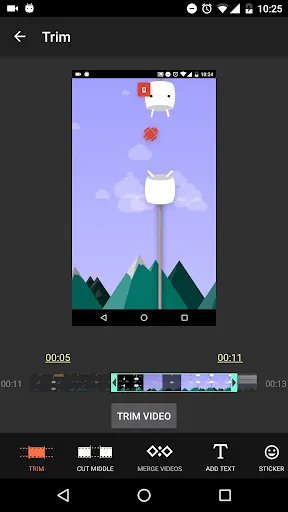
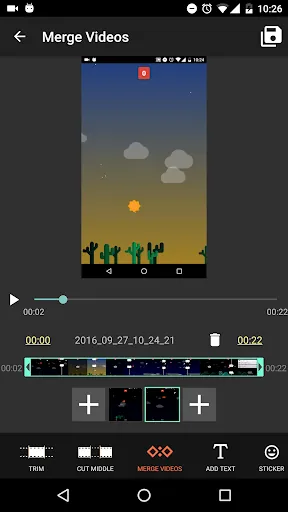
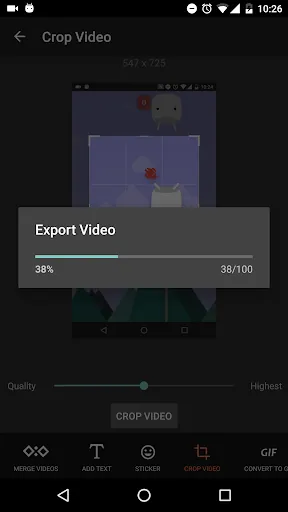
The plugin presents a simple, no-frills interface that integrates into the host application's settings and share menus. Controls are intentionally compact: toggles for background scanning, a single-file selector, and an activity log. Workflows are linear and easy to adopt — choose a file, select the desired action, and let the plugin process it in the background while you continue other tasks.
Performance and compatibility
Performance was optimized to avoid draining battery or hogging memory. AZ Plugin 2 runs lightweight services and schedules intensive work for idle periods when possible. Compatibility covers a broad range of Android versions and popular host apps, with graceful fallback behavior if a requested integration point is not available.
Installation and setup
Installing AZ Plugin 2 follows standard Android procedures. After download, allow the required permissions for file access and background activity. Initial setup walks you through enabling integration with host apps and configuring default actions. Most users can be fully operational within a few minutes, with optional advanced settings for power users who want granular control.
Practical use cases
- Quick transfers — Move media between folders or apps without opening a full file manager.
- Streaming hooks — Send media links to a host player for seamless playback.
- Batch tagging — Apply metadata to multiple files in one operation.
- Automation — Trigger predefined actions when a supported app shares content.
Security and privacy considerations
The plugin requests only permissions necessary for its functions, such as storage access and background processing. It adheres to expected Android permission flows and provides clear prompts explaining why each permission is needed. Sensitive operations occur locally, and there is no built-in cloud syncing unless the host app supplies that capability.
Customization and advanced controls
Advanced users will appreciate the configurable time windows for background scans, customizable default destinations for moved files, and optional verbose logging. Developers can pair AZ Plugin 2 with host apps that expose plugin hooks, enabling tailored integrations for niche workflows or enterprise setups.
User experience and support
The overall user experience emphasizes speed and predictability. Notifications are concise and actionable, with dismiss and retry options for failed tasks. A small in-app help center explains common tasks and points to community resources. Regular updates refine stability and expand compatibility with new host releases.
Compatibility checklist
- Android version: widely compatible with modern releases; features scale down on older devices.
- Resource usage: optimized for low memory and battery impact.
- Host apps: integrates with popular file managers and media players that support plugin hooks.
Tips for getting the most out of AZ Plugin 2
Enable background scanning only when needed to conserve battery. Use the default action presets to speed routine tasks, and configure logging temporarily if you encounter unexpected behavior. When pairing the plugin with a new host app, test a single file operation first to confirm integration behaves as expected.
Final notes
AZ Plugin 2 is a focused utility designed to add practical, low-overhead features to compatible Android apps. Its streamlined interface and efficient background behavior make it a useful addition for users who perform regular file or media tasks and prefer automation without heavy system impact.
- No virus
- No advertising
- User protection
Information
- File size: 29.30 M
- Language: English
- Latest Version: 2.0
- Requirements: Android
- Votes: 163
- Package ID: com.hecorat.azplugin2
- Developer: AZ Screen Recorder
Screenshots
















Explore More
Equip yourself with our all-in-one toolbox app for everyday tasks and projects. Instantly convert between units, calculate tips, scan documents, manage files, and more with handy productivity tools. Includes a level, compass, QR code reader, ruler, speedometer, decibel meter, and flashlight. Save frequently used tools to your customizable dashboard for one-tap access. Track billable hours, wages, budgets, and invoices. Annotate screenshots, magnify labels, and sign PDFs on the go.

Board Game Stats

MEXC Global: BTC, ETH, Gamefi

Text Art - Write Text On Photo

MERA PROXY PRO

Domino's Pizza Sri Lanka

Halloween Photo Editor -Makeup

Connecting - Friends Near Me

Cartola