Introduction
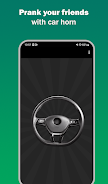
Car Horn brings a compact collection of realistic vehicle horn sounds and quick-access controls to your Android device, letting you play single tones or short sequences for alerts, pranks, or demonstration use. Car Horn is designed for immediate responsiveness and simple setup so you can reach a chosen tone in seconds, whether you need a brief beep or an extended blast. The app keeps controls large and readable so you can operate it on the move without fuss.
What the app does
This utility provides a range of horn tones, from classic automobile beeps to full air horn blasts and novelty sounds, with minimal latency so the sound plays as soon as you tap. It is intended for people who need a reliable audible signal quickly, including drivers, event staff, video creators, and workshop teams. Sounds are mapped to prominent buttons and labeled clearly, making it easy to find the right tone at a glance or under pressure.
Controls and interaction mechanics
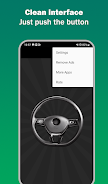
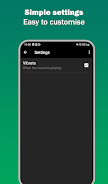
Interaction is kept intentionally simple to avoid accidental activation. A single tap triggers a tone, and a press and hold will produce a sustained sound while your finger remains on the control. A setting in the options lets you enable looping for continuous playback when required, and you can pair a short vibration with any horn for combined haptic feedback. The app also supports home-screen widgets so frequently used horns are available without opening the full interface.
Customization and presets
The app allows sensible customization so the layout fits your routine. You can rearrange buttons to prioritize the tones you use most, set a default horn to load on launch, and choose short or sustained durations per tone. Your chosen layout and default selection persist between sessions, so once you tailor the interface it stays consistent. These small adjustments turn the app from a simple soundboard into a practical signaling tool for repeated workflows.
Performance and compatibility
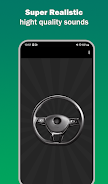
Car Horn is engineered to run efficiently on a broad range of Android phones and tablets. The sound library is stored locally so the app works offline and starts quickly, with a small memory footprint that avoids unnecessary background processes. When a device supports higher quality audio output, the app uses it to produce clearer, more authentic horn tones, and battery impact is kept low by avoiding constant background activity.
Practical uses and workflow
Using the app is straightforward: open, choose a horn, and tap to play. Typical scenarios include signaling during loading or unloading operations, getting attention in busy work areas, or adding realistic road ambiance to short videos. For larger spaces, pair your device with a portable speaker via Bluetooth or an auxiliary cable to amplify the sound. Add the most-used horn to your home screen widget to simplify frequent signaling in repeatable workflows.
Accessibility and safety
The interface emphasizes accessibility with large, well-spaced buttons and high-contrast icons that remain readable in bright outdoor conditions. Haptic feedback can be enabled for users who prefer a tactile confirmation when a tone begins. Because horn sounds can be startling, the app includes volume controls and short-duration settings to help keep signals effective without becoming disruptive, and the description encourages users to follow local noise regulations and common-sense etiquette.
Getting started and tips
After installing, grant any permissions the app requests and open it to explore the default horn set. Try each button to identify tones that match your needs, adjust volume and duration in settings, and reposition buttons so the most important tones are nearest your thumb. Add the widget for one-tap access, set a default horn for immediate use at launch, and pair with external speakers when you need extra reach. With a few small tweaks you can make Car Horn a dependable part of daily signaling tasks.
Why drivers and staff rely on this app
People choose this tool because it combines authentic samples with predictable performance and straightforward controls. The blend of offline operation, customization, and low system impact makes the app useful for both occasional and constant use. Whether you need a discreet alert or a louder signal at an event, Car Horn aims to provide clear, usable tones with minimal setup and reliable playback.
- No virus
- No advertising
- User protection
Information
- File size: 8.82 M
- Language: English
- Latest Version: 1.05
- Requirements: Android
- Votes: 480
- Package ID: com.spsoundsstudio.car.horn.simulator.sounds
Screenshots
















Explore More
Make your house a home with our suite of helpful home apps. Discover clever tools to organize closets, streamline chores, and simplify cooking. Take the stress out of cleaning and maintenance with handy checklists and schedules. Enhance security and control appliances and lighting with our smart home integrations. Design, visualize, and renovate like a pro using our 3D planning software.

Metro Micro

Tax Calculator India 2024-2025

ClassPass: Fitness, Spa, Salon

OnDjoss

Park4Me

Scary sound effects

Home Workouts - Lose Weight

Juice Recipes