


Introduction
Light is a compact Android utility that turns your phone into a powerful, configurable light source and photographic aid, blending simple controls with advanced tools like adjustable brightness, color temperature, and camera exposure assistance to improve visibility and creative lighting on the go.
Core features
Light provides a focused set of tools designed to be fast and reliable. The core features include a steady flashlight mode with multiple intensity steps, a screen-based color panel that emits selectable hues, strobe and SOS signals for emergencies, and camera-compatible exposure helpers. Each feature is engineered to consume minimal battery while delivering consistent performance.
User interface and workflow
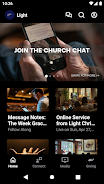
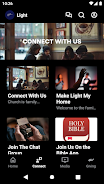
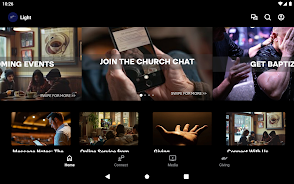
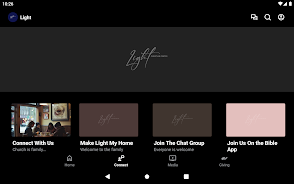
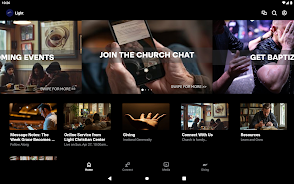
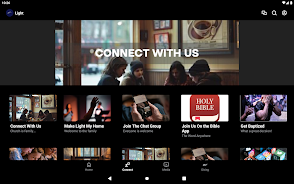
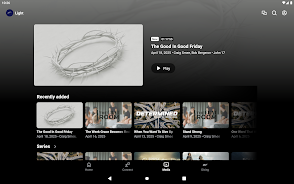
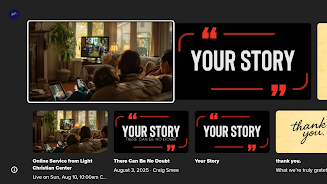
The interface in Light emphasizes minimal taps and clear feedback. A single main screen exposes the most used controls: on/off, brightness slider, and a quick palette for color choices. Advanced settings are tucked into a compact menu for users who want to fine-tune behavior such as auto-off timers, vibration feedback, and screen wake options. Workflow is straightforward: open the app, choose lighting mode, and adjust intensity—no deep menus required.
Practical uses and scenarios
Light works equally well for everyday and specialized tasks. Use the flashlight for finding items in dim spaces, switch to colored-screen lighting for mood lighting or plant growth, and enable strobe or SOS modes in roadside emergency situations. Photographers benefit from the exposure assist tools that provide steady, predictable illumination during close-up or macro shots, and the color temperature controls help match ambient light for more accurate images.
Customization and advanced controls
Customization is a strong point of Light. Users can create and save custom color presets, adjust the granularity of brightness steps, and program an auto-brightness curve that responds to battery level. There are also options to map the app to physical buttons or gestures, so a long-press of the volume key can launch a preferred lighting mode instantly. These options make Light adaptable to both simple and complex setups.
Performance and battery management
Designed with efficiency in mind, Light balances brightness with battery usage. The app offers a battery-saver mode that caps maximum intensity and reduces background processes, plus an intelligent timer that shuts off the light after a user-defined interval. Background operation is streamlined to prevent unnecessary drain, and hardware acceleration is used where available to keep animations smooth and controls responsive.
Compatibility and device support
Light supports a wide range of Android devices and hardware configurations. The app auto-detects whether a device has a dedicated flash LED and adjusts available options accordingly, and screen-based lighting is fully supported on devices without a hardware torch. Camera integration works with most camera APIs, enabling exposure helpers and test patterns on many models. Regular updates broaden compatibility with new devices and Android releases.
Safety, accessibility, and privacy
Safety features in Light include a lock to prevent accidental activation and an SOS signal pattern that conforms to international standards. Accessibility options like high-contrast color palettes and larger touch targets ensure the app is usable by people with different needs. Light requests only necessary permissions, such as camera or flashlight access, and keeps user data local unless explicitly shared for troubleshooting.
Getting started tips
- Grant the flashlight or camera permission during first launch to unlock full functionality.
- Create a color preset for quick access to frequently used hues.
- Enable the auto-off timer to avoid accidental battery drain if you forget to turn the light off.
- Map a physical button to the app for one-handed activation in emergency situations.
Why choose Light
Light blends an intuitive interface with practical controls that adapt to daily and professional needs. Its thoughtful customization, efficient battery handling, and broad device support make it a reliable companion whenever you need portable illumination or simple photographic lighting assistance. Try Light to replace scattered tools with a single streamlined utility that stays ready when you need it most.
- No virus
- No advertising
- User protection
Information
- File size: 40.21 M
- Language: English
- Latest Version: 6.12.1
- Requirements: Android
- Votes: 236
- Package ID: com.subsplashconsulting.s_2CKC25
- Developer: Light Christian Center
Screenshots
















Explore More
Equip yourself with our all-in-one toolbox app for everyday tasks and projects. Instantly convert between units, calculate tips, scan documents, manage files, and more with handy productivity tools. Includes a level, compass, QR code reader, ruler, speedometer, decibel meter, and flashlight. Save frequently used tools to your customizable dashboard for one-tap access. Track billable hours, wages, budgets, and invoices. Annotate screenshots, magnify labels, and sign PDFs on the go.

MEXC Global: BTC, ETH, Gamefi

Text Art - Write Text On Photo

MERA PROXY PRO

Domino's Pizza Sri Lanka

Hatekhori Shongkha

Halloween Photo Editor -Makeup

Connecting - Friends Near Me

Cartola





























