


Introduction
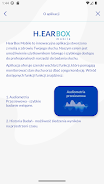
HearBox Mobile is a compact audio tool that streamlines sound recording, playback, and field monitoring for mobile users. It combines precise gain controls, multi-track recording, and real-time meters into a simple interface, designed for journalists, podcasters, and creators who need reliable on-the-go audio capture and editing.
Overview and Purpose
Built for professionals and hobbyists who handle audio outside a studio, this app centralizes common tasks: capturing clear takes, organizing clips, and exporting files in standard formats. The app focuses on speed and predictability, reducing the friction between a great idea and a finished recording while keeping resource use modest on most Android devices.
Core Functionality
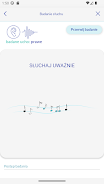
At its center, HearBox Mobile offers multi-channel recording with adjustable levels, live monitoring, and basic trimming tools. The workflow emphasizes minimal setup: choose inputs, set levels with visual meters, and hit record. Files are saved with timestamps and metadata so you can locate assets quickly in post-production.
Key Features
- Multi-track capture — record up to several tracks simultaneously when your device and peripherals support it.
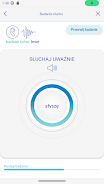
- Real-time metering — high-resolution meters and peak indicators prevent clipping and help match gain between takes.
- Flexible file export — save recordings in WAV or compressed formats, and share via cloud services or direct transfer.
- Simple editing — cut, fade, and combine clips without exporting to another tool for minor fixes.
- Metadata tagging — add labels, scene notes, and custom tags for faster organization.
How It Works in Practice
Start a session by selecting input sources — the internal mic, USB audio interfaces, or Bluetooth devices. Use the gain sliders to establish an optimal recording level while watching the meters. During long interviews or field recordings, set automatic split intervals to prevent file sizes from becoming unwieldy. When a take is complete, apply trims and fades immediately to prepare a clean export for editors or publishing platforms.
Interface and Performance
The interface balances compactness and clarity: color-coded meters, large transport controls, and contextual menus keep frequently used features one tap away. Touch targets are large to accommodate gloved or fast interactions outdoors. Performance-wise, the app minimizes latency for monitoring and reduces CPU spikes during recording, so drops and glitches are uncommon on modern hardware.
Customization Options
Users can customize sample rates, bit depth, and the default export destination. Preset profiles let you switch quickly between interview, ambient, and music modes, each adjusting limiter thresholds, normalization rules, and file naming conventions. Advanced users will appreciate configurable buffer sizes and optional low-latency monitoring for critical sessions.
Practical Tips for New Users
- Run a quick test — before important recordings, do a short test to confirm levels and microphone positioning.
- Use external mics — if possible, connect a dedicated microphone for better clarity and reduced background noise.
- Enable backup saves — turn on automatic uploads to a cloud folder to safeguard files if your device is lost or damaged.
- Apply light compression — for voice work, gentle compression during recording can even out dynamics without heavy post-processing.
Why Professionals Adopt It
Many professionals choose HearBox Mobile because it blends the essentials of field audio work into a single, efficient package. It reduces reliance on multiple apps and hardware steps, which speeds turnaround. The metadata and export options also integrate well with common newsroom, podcast, and production workflows.
Getting Started
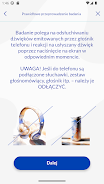
To begin, install the app and run the setup wizard to grant access to microphones and storage. Create a profile that matches your primary use case, whether interview, ambient, or music capture. After a few sessions you’ll have a customized kit of presets and workflows that make every recording faster and more consistent.
For creators who need dependable mobile audio tools, HearBox Mobile delivers a focused, professional experience that keeps the recording process simple and the results clean.
- No virus
- No advertising
- User protection
Information
- File size: 103.25 M
- Language: English
- Latest Version: 1.1.0
- Requirements: Android
- Votes: 239
- Package ID: pl.ifps.hbm
- Developer: Instytut Fizjologii i Patologii Słuchu
Screenshots





















Explore More
Equip yourself with our all-in-one toolbox app for everyday tasks and projects. Instantly convert between units, calculate tips, scan documents, manage files, and more with handy productivity tools. Includes a level, compass, QR code reader, ruler, speedometer, decibel meter, and flashlight. Save frequently used tools to your customizable dashboard for one-tap access. Track billable hours, wages, budgets, and invoices. Annotate screenshots, magnify labels, and sign PDFs on the go.

MEXC Global: BTC, ETH, Gamefi

Text Art - Write Text On Photo

MERA PROXY PRO

Domino's Pizza Sri Lanka

Hatekhori Shongkha

Halloween Photo Editor -Makeup

Connecting - Friends Near Me

Cartola





























