
Introduction
Fonts Keyboard is a customizable Android keyboard that brings dozens of stylish typefaces, emoji support, and text decorations directly into your messaging apps. It integrates with input fields across the system, allowing users to personalize conversations, bios, and social posts with unique fonts, symbols, and quick formatting tools.
What the app does
This review examines Fonts Keyboard from a practical perspective. The app replaces or complements your default input method and focuses on delivering font variety, symbol sets, and convenience features like clipboard history and one-touch formatting. It aims to make everyday typing more expressive without slowing down core device functions.
Primary features and tools
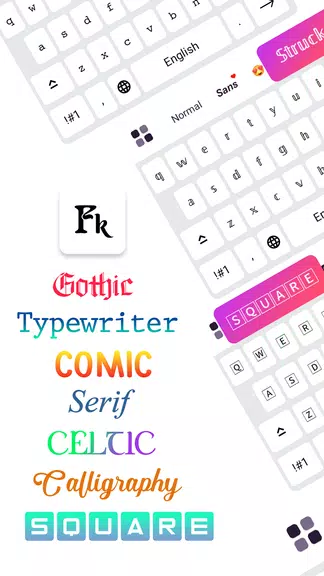
- Multiple font families — A broad selection of serif, sans-serif, monospace, and decorative styles you can apply on the fly.
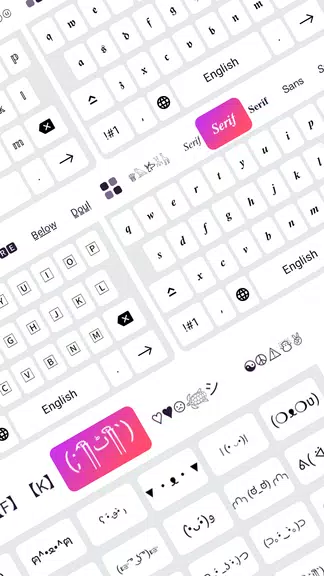
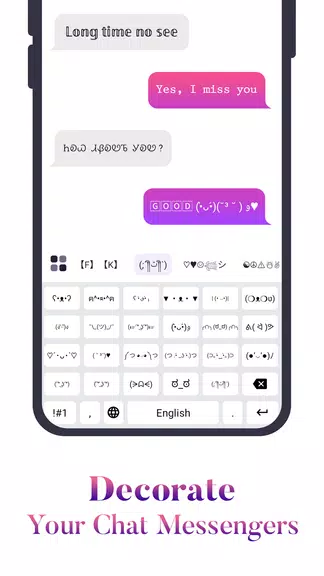
- Symbol and emoji panel — Fast access to uncommon characters and pictograms useful for social posts and messages.
- Quick formatting — Bold, italic, underline, and spaced text options that work across most apps.
- Clipboard manager — Store frequently used snippets and paste them with minimal steps.
- Theme engine — Personalize keyboard colors and key shapes for visual comfort.
How it works in daily use
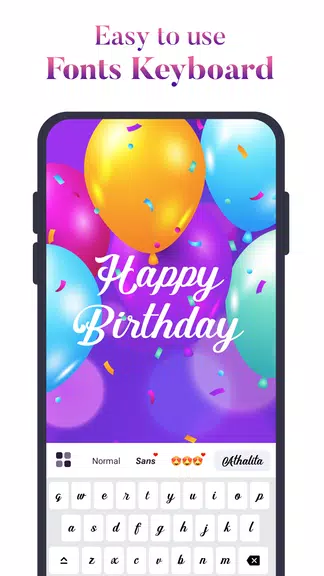
After granting input permissions, Fonts Keyboard becomes available as a selectable input method. Switching between fonts is typically a matter of tapping the font menu or swiping a dedicated key. The design keeps the typing flow intact: the app overlays formatting choices without forcing you to leave the conversation or app where you’re composing text.
Integration and compatibility
Compatibility is a major concern for users who rely on multiple messaging and social platforms. Fonts Keyboard supports standard Android text fields and works seamlessly with chat apps, note-taking tools, and social media. A small number of apps that enforce strict text rendering may strip styling, but most common services preserve the visual output.
Customization options
Customization is where Fonts Keyboard stands out. Users can create a favorites list of fonts, swap key layouts between QWERTY and alternatives, and adjust key sizes. The theme editor lets you tweak background opacity, key highlight colors, and font preview samples so the keyboard feels like an extension of your personal style.
Performance and responsiveness
Performance is essential for any input tool. Fonts Keyboard is optimized to minimize latency when switching fonts or inserting symbols. Background resource usage is modest on modern devices, and the app offers options to reduce animations and preloaded font previews on lower-powered phones.
User experience and workflow
From a workflow standpoint, Fonts Keyboard is designed for quick access. The clipboard and templates feature save repetitive typing, while a search bar in the font picker helps locate a style in seconds. New users will appreciate the guided onboarding that showcases core controls and privacy settings.
Privacy and permissions
Because it functions as an input method, the app requests permissions to read typed content. Fonts Keyboard provides clear documentation on what data is required for functionality and offers offline font packs to limit network access. Users should review permissions during setup and choose the offline options if they prefer minimal data sharing.
Tips for getting started
- Enable Fonts Keyboard in Android settings and set it as an additional input method rather than the default until you’re comfortable.
- Create a small favorites list of three to five fonts you’ll actually use to avoid scrolling through long menus.
- Use the clipboard manager for signatures, hashtags, or repeated text blocks.
- Turn off animated previews if you notice battery or performance impact.
Fonts Keyboard is a practical choice for users who want to make everyday typing more expressive without sacrificing speed. It balances a rich feature set with straightforward controls, making it useful for casual users, social media creators, and anyone wanting more personality from their on-screen keyboard.
- No virus
- No advertising
- User protection
Information
- File size: 26.90 M
- Language: English
- Latest Version: 2.3.0
- Requirements: Android
- Votes: 302
- Package ID: com.cutestudio.font.keyboard
- Developer: AZ Mobile Software
Screenshots
















Explore More
Equip yourself with our all-in-one toolbox app for everyday tasks and projects. Instantly convert between units, calculate tips, scan documents, manage files, and more with handy productivity tools. Includes a level, compass, QR code reader, ruler, speedometer, decibel meter, and flashlight. Save frequently used tools to your customizable dashboard for one-tap access. Track billable hours, wages, budgets, and invoices. Annotate screenshots, magnify labels, and sign PDFs on the go.

Board Game Stats

MEXC Global: BTC, ETH, Gamefi

MERA PROXY PRO

Domino's Pizza Sri Lanka

Hatekhori Shongkha

Connecting - Friends Near Me

Cartola

Virink