


Introduction
YouCut - Video Editor & Maker is a free, full-screen video editor designed for creators who need fast, polished results for social media and personal projects. The app balances an uncluttered, touch-first interface with powerful editing tools so you can trim clips, merge footage, add music, and apply effects without a steep learning curve. YouCut - Video Editor & Maker also focuses on practical finishing touches like no-watermark exports, smooth slow-motion and speed ramps, and AI-assisted features such as background removal and automatic captions to speed up routine tasks and improve accessibility.
Key features
AI tools are integrated into the core workflow rather than tacked on: automatic speech-to-text produces editable captions so videos are readable without sound, and one-tap enhancement routines quickly adjust exposure, contrast and color balance while retaining your original look. Precise speed control gives creative freedom from subtle slow-motion at 0.2× up to fast-motion sequences, and the instant background removal and portrait cutout tools let you isolate subjects for layered compositions or overlay effects without using a desktop editor.
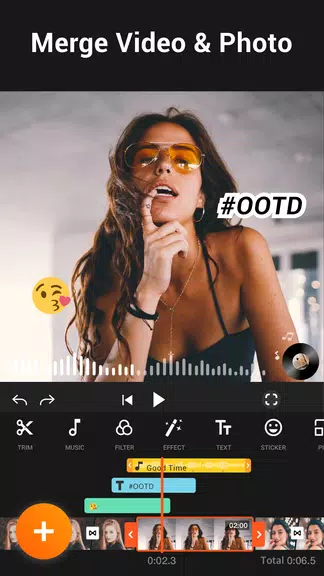
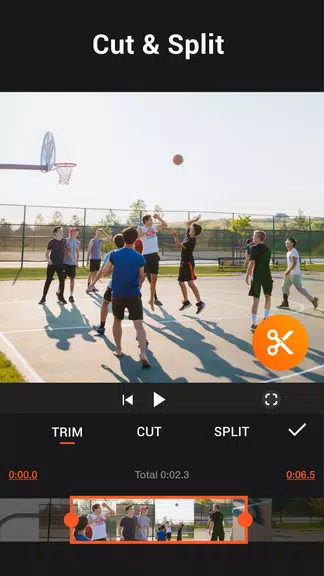
The timeline supports multiple layers so you can stack clips, overlays and titles, while chroma key and green-screen controls enable compositing for more cinematic results. Editing staples like a cutter, slicer and merger are implemented with responsive touch gestures and numerical entry for frame-accurate trims. A simple slideshow and music support make it straightforward to build shareable highlight reels from photos and short clips.
How editing works
Interaction is built around common mobile gestures: pinch to zoom the timeline, drag to reposition clips, and tap-and-hold for context menus. An on-screen scrubber and frame-by-frame stepping allow fine adjustments; speed controls are available as sliders and direct value input for repeatable timing. One-tap presets and adjustable filters give immediate visual options, and saved presets let you apply the same look across projects to maintain consistency.
Project progression is linear and project-based: you create a project, assemble clips on the timeline, refine audio and visuals, then export with chosen settings. This model keeps the learning curve shallow — beginners can follow a guided sequence from import to export, while experienced creators can skip straight to advanced tools like keyframing, multi-layer blending and chroma key. Tutorials and contextual tips help users discover features at their own pace.
Performance, exports and compatibility
The app prioritizes on-device editing to preserve privacy and to work reliably offline; media is imported from local storage and processed without requiring a constant network connection. Exports preserve HD quality and offer basic compression options so you can balance visual fidelity and file size for sharing. While AI features and high-resolution exports use more CPU and memory, the editor includes options to reduce preview quality or render in the background to accommodate older devices.
Supported formats cover common mobile codecs and container types for both input and output, and export settings let you select resolution, bitrate and frame rate. The no-watermark export option means finished clips are immediately ready for posting to social platforms or for archiving.
Customization, accessibility and workflow
Customization focuses on practical controls: save your own filter combinations, set default export parameters, and rearrange frequently used tools within the full-screen interface. Accessibility considerations include automatic caption generation that improves discoverability and readability, large timeline controls for easier tap targets, and contrast-friendly UI elements to help visibility in varied lighting conditions. Batch-style workflows such as applying a saved preset to multiple clips speed up repetitive tasks without adding complexity.
Who should use it
YouCut - Video Editor & Maker is well suited for social creators, mobile journalists, teachers and anyone who edits video on the go. It supports quick turnaround work like trimming and exporting short clips for stories, as well as longer creative projects that take advantage of multi-layer editing and chroma key. The combination of approachable controls, AI-assisted utilities and export flexibility makes it a practical choice for hobbyists who want a simple path to polished results and for more advanced users who need pro-level features on a phone or tablet.
- No virus
- No advertising
- User protection
Information
- File size: 25.10 M
- Language: English
- Latest Version: 1.643.1196
- Requirements: Android
- Votes: 339
- Package ID: com.camerasideas.trimmer
- Developer: InShot Video Editor
Screenshots
















Explore More
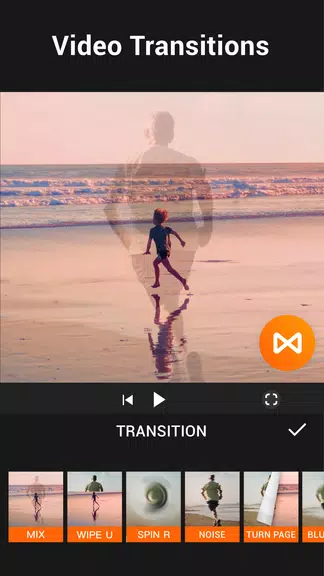
Unleash your inner filmmaker with our easy yet powerful mobile video editor! Trim, splice, and arrange clips with a simple drag-and-drop timeline. Easily apply stylish filters, text captions, transitions, visual effects, and audio tracks to customize your video. Built-in tools help stabilize shaky footage and adjust color and lighting. When your masterpiece is complete, export to popular formats and aspect ratios.

GoPro Quik: Video Editor

VidStatus - Short Video Editor

AirPedal

FlashShort

StoryLab
PolloAi: Video Editor Hints

Video maker

Tempo





























