Introduction
FiLMiC Pro is a professional video camera app that empowers users to capture cinematic-quality footage directly from their smartphones. Designed for both amateur filmmakers and experienced videographers, FiLMiC Pro offers a wide array of advanced features such as manual focus, exposure control, and frame rates, giving you full creative control over your video production. The app provides professional-grade tools, including log shooting modes, color grading support, and high-quality audio capture, allowing you to create stunning, high-definition videos. Whether you’re shooting short films, vlogs, or YouTube content, FiLMiC Pro elevates your smartphone video experience to a whole new level.
Features of FiLMiC Pro:
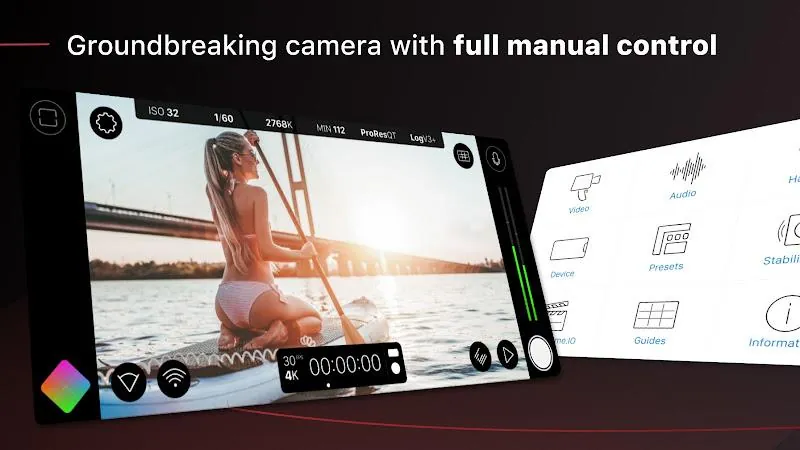
- Manual Control: FiLMiC Pro provides precise manual control over focus, exposure, ISO, shutter speed, and white balance, giving you full creative freedom.
- High-Quality Video Formats: Record in HD, 4K, or even 6K resolution (depending on device), capturing professional-quality footage with remarkable detail.
- Advanced Frame Rates: Choose from various frame rates (24fps, 30fps, 60fps, and more) to achieve the desired look for your footage, from slow motion to fast action shots.
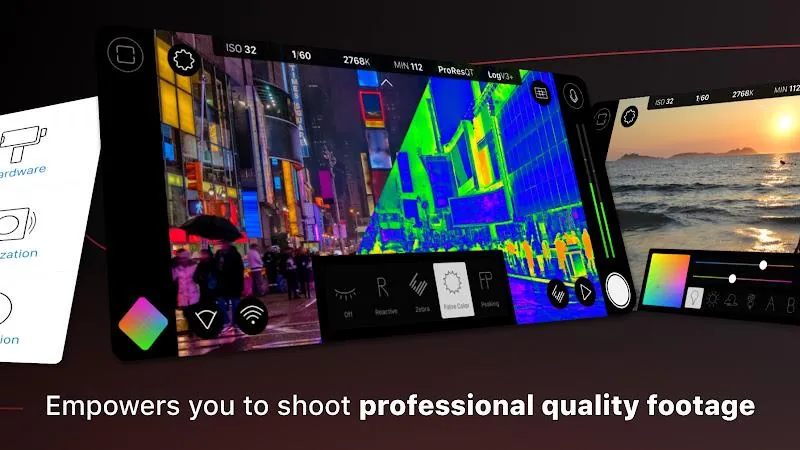
- Cinematic Effects: Add features like focus peaking, zebras, and false color to ensure optimal exposure and focus, mimicking the tools used by professionals in the film industry.
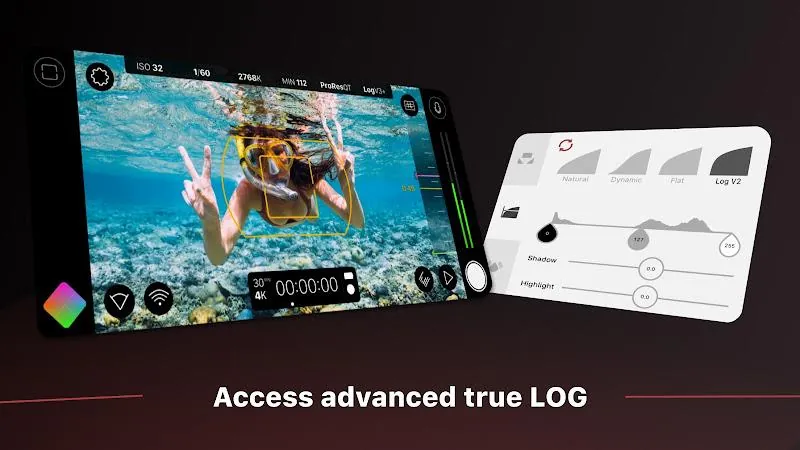
- Log Mode for Color Grading: Shoot in Log mode for greater dynamic range, allowing for more flexibility during post-production color grading.
Playing Tips for FiLMiC Pro:
- Utilize Focus Peaking: Focus peaking is a valuable tool for achieving sharp focus, especially when shooting with manual focus. It highlights the in-focus areas, ensuring your shots are crisp.
- Experiment with Frame Rates: For cinematic effects, try shooting at 24fps, or experiment with higher frame rates for slow-motion shots, which can add dramatic impact to your footage.
- Use the Audio Meter: Monitor your sound quality with the built-in audio meter, making adjustments to levels and ensuring clear, distortion-free audio for your recordings.
- Take Advantage of Log Mode: If you're planning to color grade in post-production, shoot in Log mode to capture more details in both shadows and highlights, allowing for more dynamic editing.
- Adjust White Balance: Set the white balance manually for more accurate colors, especially when shooting in tricky lighting conditions. This can make a huge difference in how natural your footage looks.
Conclusion:
FiLMiC Pro is an essential app for anyone serious about smartphone filmmaking, offering a range of professional-grade tools that transform your device into a powerful video camera. With manual controls, advanced video formats, and customizable frame rates, it’s perfect for creating high-quality content in any situation. Whether you're a content creator, vlogger, or independent filmmaker, FiLMiC Pro allows you to take your video projects to the next level with features typically found in expensive cinema cameras. With its intuitive interface and exceptional capabilities, FiLMiC Pro is a must-have tool for anyone looking to push the boundaries of mobile video production.
- No virus
- No advertising
- User protection
Information
- File size: 35.26 M
- Language: English
- Latest Version: 7.6.3
- Requirements: Android
- Votes: 395
- Package ID: com.filmic.filmicpro
- Developer: filmic inc.
Screenshots
















Explore More
Equip yourself with our all-in-one toolbox app for everyday tasks and projects. Instantly convert between units, calculate tips, scan documents, manage files, and more with handy productivity tools. Includes a level, compass, QR code reader, ruler, speedometer, decibel meter, and flashlight. Save frequently used tools to your customizable dashboard for one-tap access. Track billable hours, wages, budgets, and invoices. Annotate screenshots, magnify labels, and sign PDFs on the go.

MEXC Global: BTC, ETH, Gamefi

Text Art - Write Text On Photo

MERA PROXY PRO

Domino's Pizza Sri Lanka

Hatekhori Shongkha

Halloween Photo Editor -Makeup

Connecting - Friends Near Me

Cartola