
Introduction
Samsung Voice Recorder helps you record meetings, lectures, and personal notes with a simple interface and reliable playback. The app offers straightforward controls for recording and reviewing audio, basic trimming and renaming options, and folder-based organization so your files stay easy to find and export.
Key features
Samsung Voice Recorder captures high-quality audio and provides clear playback controls, simple editing to trim recordings, and options to add titles or timestamps. You can rename files, organize recordings into folders, and use built-in search and sharing tools to export or share audio as needed.
Using the app
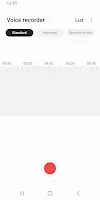
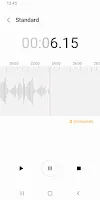
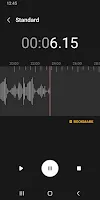
Open Samsung Voice Recorder to start a new session, pause or stop when finished, then play back or trim the file and move it into a folder. The workflow is designed for quick capture and straightforward file management so you can keep recordings on your device or share them when required.
- No virus
- No advertising
- User protection
Information
- File size: 29.94 M
- Language: English
- Latest Version: 21.5.10.13
- Requirements: Android
- Votes: 267
- Package ID: com.sec.android.app.voicenote
- Developer: Samsung Electronics Co., Ltd.
Screenshots

















Explore More
Equip yourself with our all-in-one toolbox app for everyday tasks and projects. Instantly convert between units, calculate tips, scan documents, manage files, and more with handy productivity tools. Includes a level, compass, QR code reader, ruler, speedometer, decibel meter, and flashlight. Save frequently used tools to your customizable dashboard for one-tap access. Track billable hours, wages, budgets, and invoices. Annotate screenshots, magnify labels, and sign PDFs on the go.

1xSlots Casino

NeoSpin Casino

LifePad

SocialTech VPN

Desire by Lovehoney

888bets moçambique Apk

TogelUp

HOMETOGEL