Introduction
GymApp Control is a compact fitness companion built to simplify workout creation, session tracking and rest management while keeping your data private; the app works offline, stores information locally and offers a 15-day free trial of its premium toolkit before a one-time payment of €6 unlocks permanent access. The opening design goal for GymApp Control was clarity: a no-subscription training log that avoids cloud dependency and intrusive advertising so users who value privacy and straightforward tools can focus on workouts. This introduction lays out what the app does, how it feels in use and which users will benefit most.
Key features and core functionality
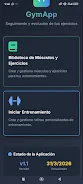
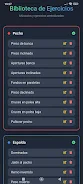
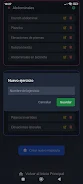
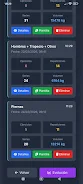
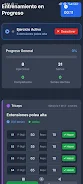
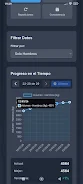
The core of GymApp Control is an exercise library with more than 50 predefined movements and the ability to define custom muscle groups and exercises, which helps you mirror real training priorities. Routines are assembled in a manual training mode where you add exercises, set the number of sets and reps, and record load values for each set. Every session is saved with timestamps and basic notes so you can review performance later. Built-in statistics and progressive graphs visualize repetitions, lifted load and volume across weeks and months, giving clear evidence of incremental improvement without requiring external coaching or online services.
Controls and user interaction
The app emphasizes a touch-first interface designed for minimal distraction during live workouts: create or edit a routine using simple taps, adjust set values directly on the session screen and control the rest timer with a single button press. Common actions like marking a set completed, correcting a miscount or changing weight are accessible from the main workout view so you can maintain momentum. Tactile feedback, large tap targets and an uncluttered layout reduce accidental inputs and help you stay focused on movement instead of navigation.
Progression systems and challenge mechanics
Progression in GymApp Control is anchored by saved session logs and rolling statistics that highlight trends in reps, weight and total volume. You can mark personal records and compare weekly or monthly summaries to spot plateaus and plan training adjustments. The app supports simple challenge-style practice by letting you reuse a routine and try to beat previous scores or lifts; because complete histories are maintained locally, you can set incremental goals and measure progress across training cycles without relying on external platforms.
Customization, routine structure and replay value
Customization centers on creating exercise maps and personal templates so you can structure sessions for strength, hypertrophy or conditioning. Templates are reusable and editable, letting you adapt rest intervals, set counts and rep targets as intensity or focus changes. Replay value comes from rotating templates, adjusting loads to modulate difficulty and switching focus between muscle maps; the app supports single-session circuits, daily workouts and multi-day split plans that can be repeated to build consistency over months.
Visual style and accessibility
The visual approach favors high contrast, scalable text and an information hierarchy that keeps the current set, remaining rest and recent performance prominent. This makes it easier to glance at the screen between sets or to operate the app with one hand. Accessibility improvements include large tap areas, configurable sound and visual notifications for rest timers and text scaling for users who need larger fonts. The interface remains readable in both bright gym lighting and dim home environments.
Offline reliability and privacy
One of the distinguishing characteristics of GymApp Control is its offline-first architecture: every major function operates without an internet connection and all exercise data is stored locally on your device to preserve privacy. There are no ads during training and the premium option is a one-time purchase, avoiding recurring billing. Note that local-only storage means there is no automatic cloud sync; users who want a separate copy should export entries manually for their own backup routine.
Who benefits and trial details
The app is well suited to hobbyists, home exercisers and gym-goers who prefer a private, no-friction log over social or cloud-centric services. Personal trainers who use a local device to track client sessions will appreciate the quick-edit features and templating options, while users returning to training can reliably chart gradual gains with the app’s graphs and session history. The 15-day trial lets you explore premium tools and advanced customization before making a modest one-time purchase for continued access to all features.
- No virus
- No advertising
- User protection
Information
- File size: 7.96 M
- Language: English
- Latest Version: 2.00
- Requirements: Android
- Votes: 284
- Package ID: com.gymapp.control
- Developer: JOSE JOAQUIN RUIZ ROMERO
Screenshots
















Explore More
Make your house a home with our suite of helpful home apps. Discover clever tools to organize closets, streamline chores, and simplify cooking. Take the stress out of cleaning and maintenance with handy checklists and schedules. Enhance security and control appliances and lighting with our smart home integrations. Design, visualize, and renovate like a pro using our 3D planning software.

HomeCity

Fazy Asociados

Homie's

Home Design 3D

Justmarkt

City of DOHA

פיצה טוסקנה

Nutrition and food