
Introduction
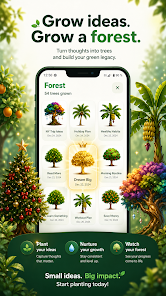
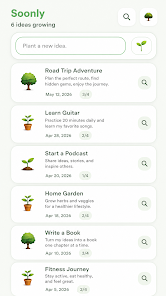
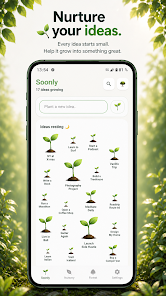
Soonly: Ideas & Notes is a minimalist idea-capture app designed to catch fleeting thoughts and let them grow without pressure. It’s not a task manager, so there are no deadlines or notifications—just a calm space to jot ideas the moment they arrive and return later to expand, reorder or back them up. The interface focuses on simplicity and privacy, with no accounts or social features to distract you. If you want a lightweight tool for brainstorming, personal projects and exploratory notes that preserves ideas rather than forcing you to delete them, Soonly: Ideas & Notes is worth a try.
Key Features
⭐ Instant capture: open the app and write an idea with no setup or distractions.
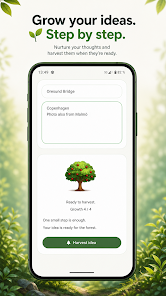
⭐ Expandable notes: start with a short thought and add details later as the idea matures.
⭐ Reorderable list: keep your best ideas on top and rearrange entries whenever you need.
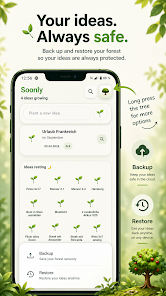
⭐ Backup and restore: export your ideas to create a backup and restore them when you switch devices.
⭐ Quiet design: Soonly: Ideas & Notes has no accounts, likes, or followers—just your personal notes.
Advantages
✅ Private by design: Soonly: Ideas & Notes requires no account, so your ideas stay local and distraction-free.
✅ Low-pressure workflow: without deadlines or task rules you can develop ideas at your own pace.
✅ Easy to use: capture thoughts instantly with minimal friction and return later to expand them.
✅ Preservation mindset: deleted or old thoughts are treated as part of a creative cycle, allowing ideas to be revisited and reused.
Disadvantages
❎ Not a task manager: the app intentionally lacks reminders, due dates, and other productivity scheduling features.
❎ Minimalist feature set: power users seeking advanced organization, tagging, or automation may find the app limited.
❎ Single-user focus: with no accounts or social tools, collaboration and shared workspaces are not supported.
- No virus
- No advertising
- User protection
Information
- File size: 43.00 M
- Language: English
- Latest Version: 1.0.0
- Requirements: Android
- Votes: 468
- Package ID: com.soonly.app
- Developer: Allora!
Screenshots
















Explore More
Equip yourself with our all-in-one toolbox app for everyday tasks and projects. Instantly convert between units, calculate tips, scan documents, manage files, and more with handy productivity tools. Includes a level, compass, QR code reader, ruler, speedometer, decibel meter, and flashlight. Save frequently used tools to your customizable dashboard for one-tap access. Track billable hours, wages, budgets, and invoices. Annotate screenshots, magnify labels, and sign PDFs on the go.
View more